
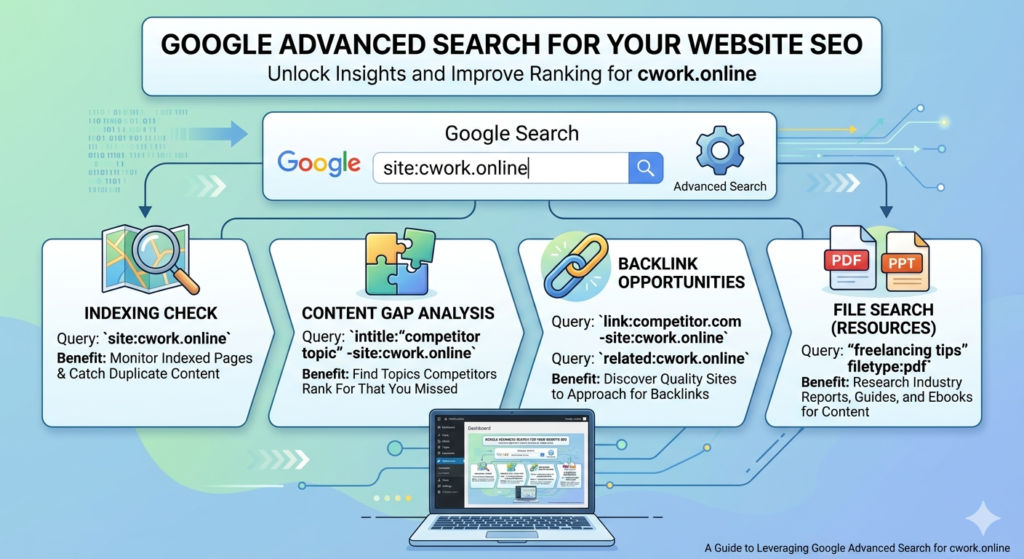
Assalamu Alaikum viewers, I am Sufi Naman Riaz and today we will look at the methods of advanced research on Google, their tips and tricks and in this regard we will try to know which are the methods, tips through which we can ensure the principle of information and content of our choice by doing advanced research on Google and how we can avoid this when we face information overload due to irrelevant information. Especially for researchers, those involved in investigative journalism,
or those working in data mining, these tools, tips, and procedures are very important. You want to search for a file of your choice in your desired format. You want to search for a file related to PDF, Excel or Word. You want to send a specific video. In terms of information, you want to search for the most recent information in the last few days, 10 days, 15 days, or information about a specific area or region. If you are looking for information in a specific language, these tips and tricks that you should know about Google’s advanced research mechanism will be very useful to you. So, let’s start this lecture today.
Write in your search bar, and this interface will appear in front of you. Now, to search for anything, for example, if you want to search for business administration, you will type it here and search for it. Okay, you will see multiple types of results in front of you. All these results will be clarified: different regions, dates, formats, and images. We will specify the search for business administration once again. Here, in the search bar, we have to see that we want to search for PDF files in the settings, and in the advanced search, we will also see that you will have this option here. First of all, you will see that there is an option for language.
If you want data in any language, you can specify the language here. After that, if you want any kind of information about any place in Asia, China, or America, then you can supply it country-wise. Last update means that you have searched for something related to the past 24 hours, such as an investigation channel. If some people want information, then here you can specify the information of the past 24 hours or the past month in the park. Site and domain mean that you want to search for information on a specific site. For example, you want to search on Wikipedia. You want the research you have done there,
where you have entered your terminology or any specific

For research, the search result should be on a specific site. Whether it is on Wikipedia, on Investopedia, or in this way, they can also specify the domain that is related to it. Whatever you want to search for, if I want to search for something related to business administration, then whatever content is available on the ECU domain or whatever content is available on the .gov government domain should be shown. Along with this, the “anywhere page.”
means that the content you want to set can be available on any part of this page, or it can be present in any heading of the space, in any title, in any filter, or in any header. That is, regarding the details of this text, that text should be present in a paragraph; in a meeting, you can specify it here. And in the file type, we are seeing here that multiple formats are available to us, so we select here that we actually want whatever PDF content is available related to our research variant,
okay, and this is not a filter by license, I have already told you about it. If you have a copyright strike issue or any content that has not been uploaded there for commercial purposes and you want no one to use it in their work, in their research work, in association, etc., then you have this option available to you here that there will be some things that are free to use and share, there will be some things that you can even use commercially, and there will be some things that you cannot use at all, they will have that license and if you use them, there may be a copyright strike on your website or on your channel or on any of your blogs. Okay, these four options are visible to you. Here, include the word of your business here, that is, I want this exact word like this. Here, you can also enter any phrase.
What are the advanced search options on Google?

What do most people do when they use Google search? They enter a keyword, whatever it is, and press the Enter key. In the results that come up, they click on what they want to click. But Google provides us with a lot of advanced options. If we start using these advanced options, our way of searching will become very smart. By using these search features,
we can generate very good searches. And Google will show us the results that we want. So let’s start. What are the options in advanced search? The first thing is normal search. What is a normal search? I told you first. Normal search is that you enter any keyword, like we have entered the keyword digital marketing course Patna. Now what does Google do?
Whatever search result is related to the digital marketing course in Patna. We all know that Google shows us this, but what Google actually does is that what Google is doing is that it is looking up words like digital, marketing, course, and whatever other terms are related to it that are in Google’s dictionary. Google shows all the results together, and wherever the result is written in the content of your website, whether it is written in an image tag, written in the title, or written in the URL, it doesn’t matter, and Google shows all the results. Although Google’s algorithm is so strong that our maximum theory gets stuck here,
as a digital marketer or SEO analyst, we have some requirements to do advanced searches. Due to this, we use advanced tools, so the basic search is that you just enter the keyword “Interested”, and the result that comes up is a basic search. This is what most people are doing. The first thing that we see in advanced search is Exact Max. Why Research Now? What is the difference between a normal search and an exact search query? First of all, let me tell you why we don’t have to search exactly.
What do we do when we write keywords in double quotes?
You are seeing this here. What does it mean to write keywords in sports? Now, it will show you a single result in which the marketing course button will appear. Similarly, the four words will appear wherever the results appear. If I have shown some results here, like this marketing force, it was in seven terms,
so it will appear somewhere or the other. See here, this button is with me, and this whole title is this digital marketing court button. So what happens like this? When we give Google a double quote, giving it in double quotes means telling Google that I want those results if I have these four terms together,
wherever they are. We call it exact search. What happens with this is that you will know that you are a professional in an industry. I want to do a proportion of editing software. When you search for video editing software, many results will come up. Let me take you to my desktop. I will show you what happens.
Suppose we search for video editing software here. When we search for video editing software here, I have already said what Google does. It mixes and matches it and gives the best result.
Because of the link and SEO, whatever site is talked about, you will see the result like Open Studio Editor here. Now, like video editing software, I have written about video editing software somewhere here. Still, it is top of the list. Whatever is coming here is coming from this site. All these sites are also video editing software programs.
Here, there is a free video editor, that is, editing, meaning editor. Google understands this, which is why the editor is also coming. All these results are coming like this. Here you are. Looking at how much about